Contact intelligence platform
Ask your data. Act on the answer.
DataSignal IQ reads your largest datasets and answers questions about them in plain language. Every answer arrives as numbers you can apply, save as a segment, or export.
No data team required. Your first file can be running in under a minute.
Ask
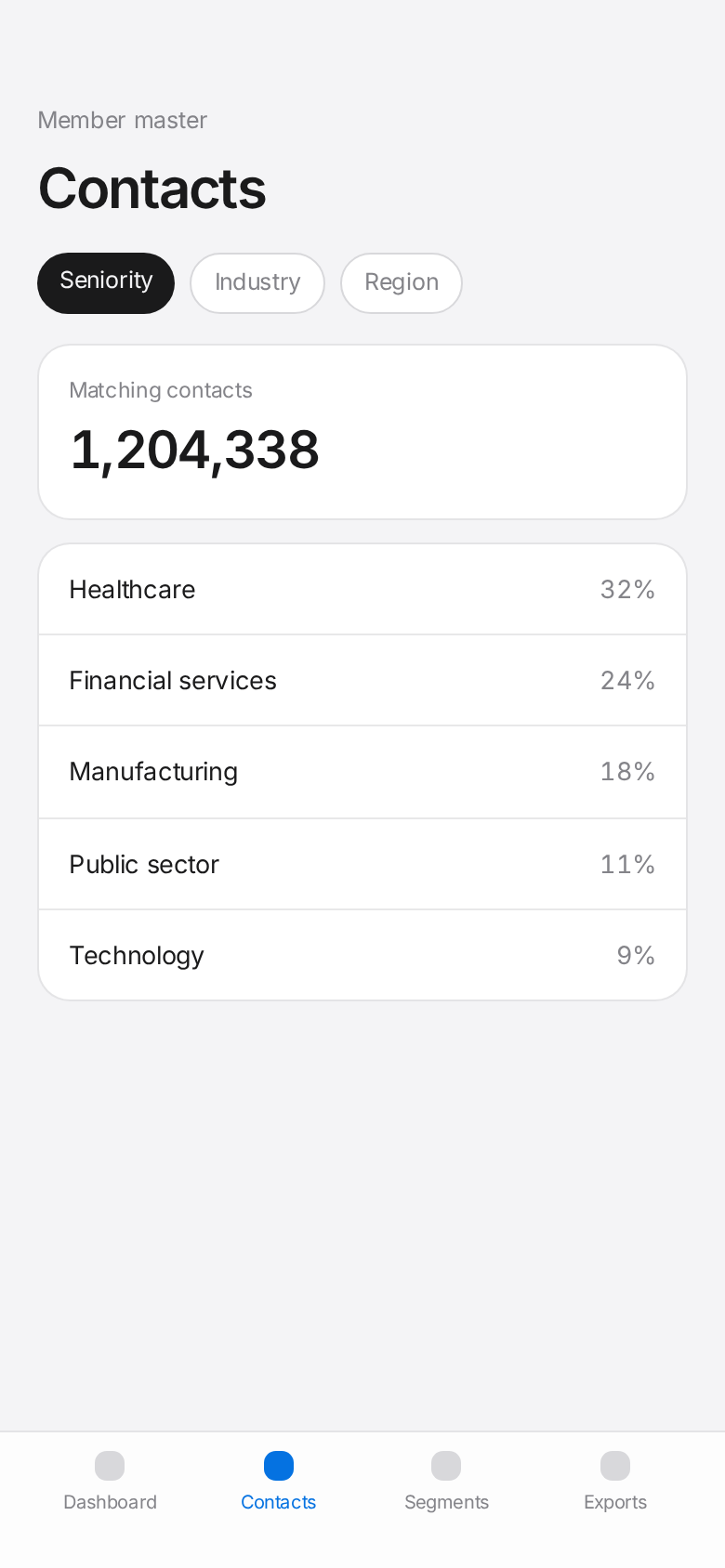
Ask your data a question. Get an answer you can use.
Press ⌘J anywhere in DataSignal IQ and ask in plain language. DataSignal IQ works out which columns matter, runs the counts, and comes back with the shape of the answer and the records behind it.
Every answer is something you can act on
Answers arrive as metrics, charts and tables, never a wall of rows. A question asked from a filtered view stays inside that filter, and the filter behind the answer becomes a view, a segment or a CSV in one step.
- Who have we not contacted in the last 90 days?
- What is the trend in spend by zip code?
- Which insurers drive the most denials?
- How does the mix change once I exclude inactive records?
Use cases
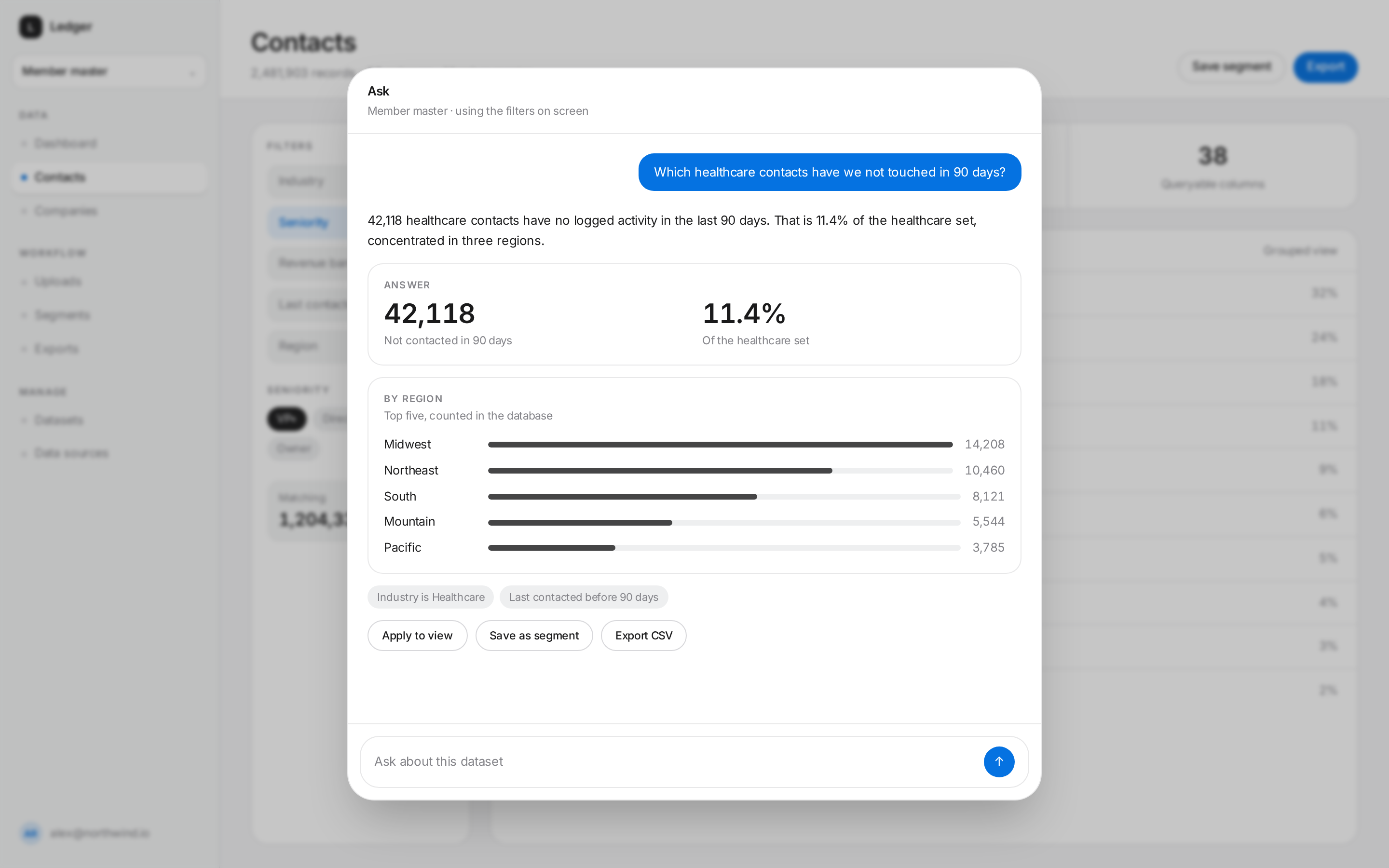
Questions that become lists
Ask once, then act. DataSignal IQ turns plain-language questions into filtered lists you can save as a segment or export as a CSV.
Which zip codes spend the most
DataSignal IQ totals revenue by zip code, ranks them, and lets you export the top spenders for a targeted campaign.
Average age of high-ticket customers
Filter to your biggest spenders, then average any numeric column such as age, tenure or lifetime value.
Customers who have not purchased in 30 days
A date-relative filter finds lapsed buyers in one step. Save the list as a re-engagement segment or export it.
Retargeting list for recent customers
Find the newest customers by purchase date, activity date or signup date and hand the list straight to your ad platform.
Bring your data
Four ways to start
Point DataSignal IQ at data you already own, or start from ours. Stored datasets and remote connections live in the same query model.
Connect AWS
Point DataSignal IQ at Amazon S3, RDS, Aurora or Redshift. We query it in place. Nothing is copied into DataSignal IQ.
Connect Google
Link a Google account and query its data where it lives, with the same column detection as every other source.
Upload a CSV
Drag in a multi gigabyte export. It is stored as a DataSignal IQ dataset and streamed in the background while counts climb.
Purchase access
Do not have the list yet? Buy access to our datasets and query them beside your own from day one.
Why DataSignal IQ
Interpretation, not just storage
Most tools hand your file back to you. DataSignal IQ reads it. Every column, every row, then tells you what is worth doing next.
Insight without asking
DataSignal IQ profiles every dataset the moment it lands, surfaces what changed, and ranks what is worth acting on.
Grouped, not endless
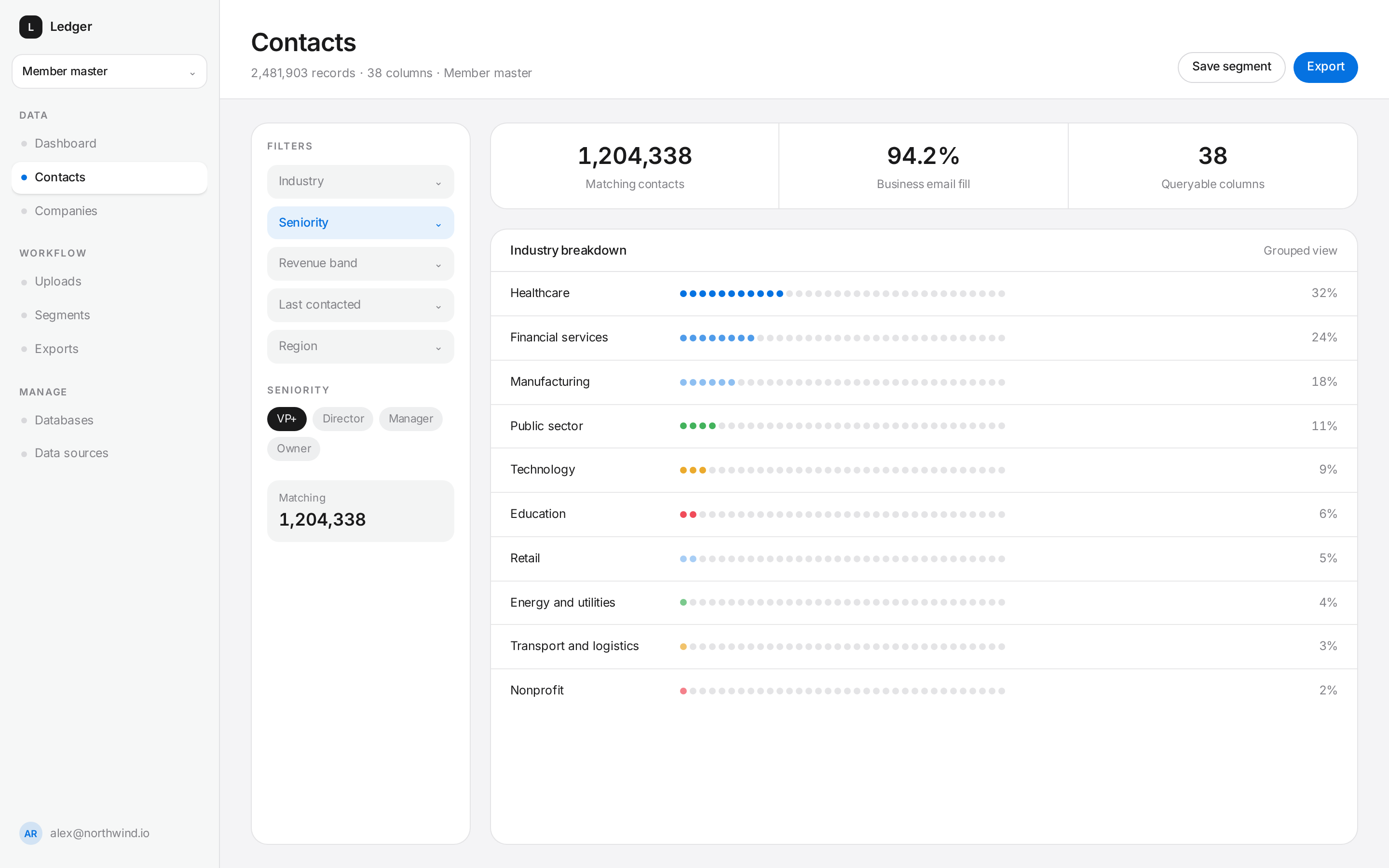
At this scale a row list is noise. Breakdowns show the shape of the set first, then drill down to the individual record.
Answers from aggregates
Questions are answered from counts and breakdowns computed inside your dataset. No records are handed to a model.
Keep every column
New headers are detected, named in plain language and made queryable the moment they arrive. Nothing gets dropped to fit a schema.
Query anything
Combine any number of conditions with AND/OR across any column, and watch the matching count update as you build.
Access you can prove
Every dataset has an owner and an explicit grant list. Records are isolated at the database layer, not just the interface.
Scale
Nothing loads a million rows into a browser
Counting, grouping and paging all happen server-side. The interface stays as quick on a 4-million-row dataset as it is on four hundred.
5,000
Rows per ingest pass
Streamed, resumable and de-duplicated as they land.
O(1)
Page load at any offset
Keyset paging, so page 40,000 costs what page one does.
100%
Aggregates computed server-side
Counts and rollups run in the database, never in the tab.
Interpretation
It tells you what it found
DataSignal IQ profiles the dataset as it lands: the mix inside each column, the gaps, the movement since last time. Findings arrive ranked, in plain language, each one attached to the records behind it.
- Signals computed from your data, not generic advice
- Every finding drills straight through to the contacts it describes
- Turn a finding into a segment in one step
Query builder
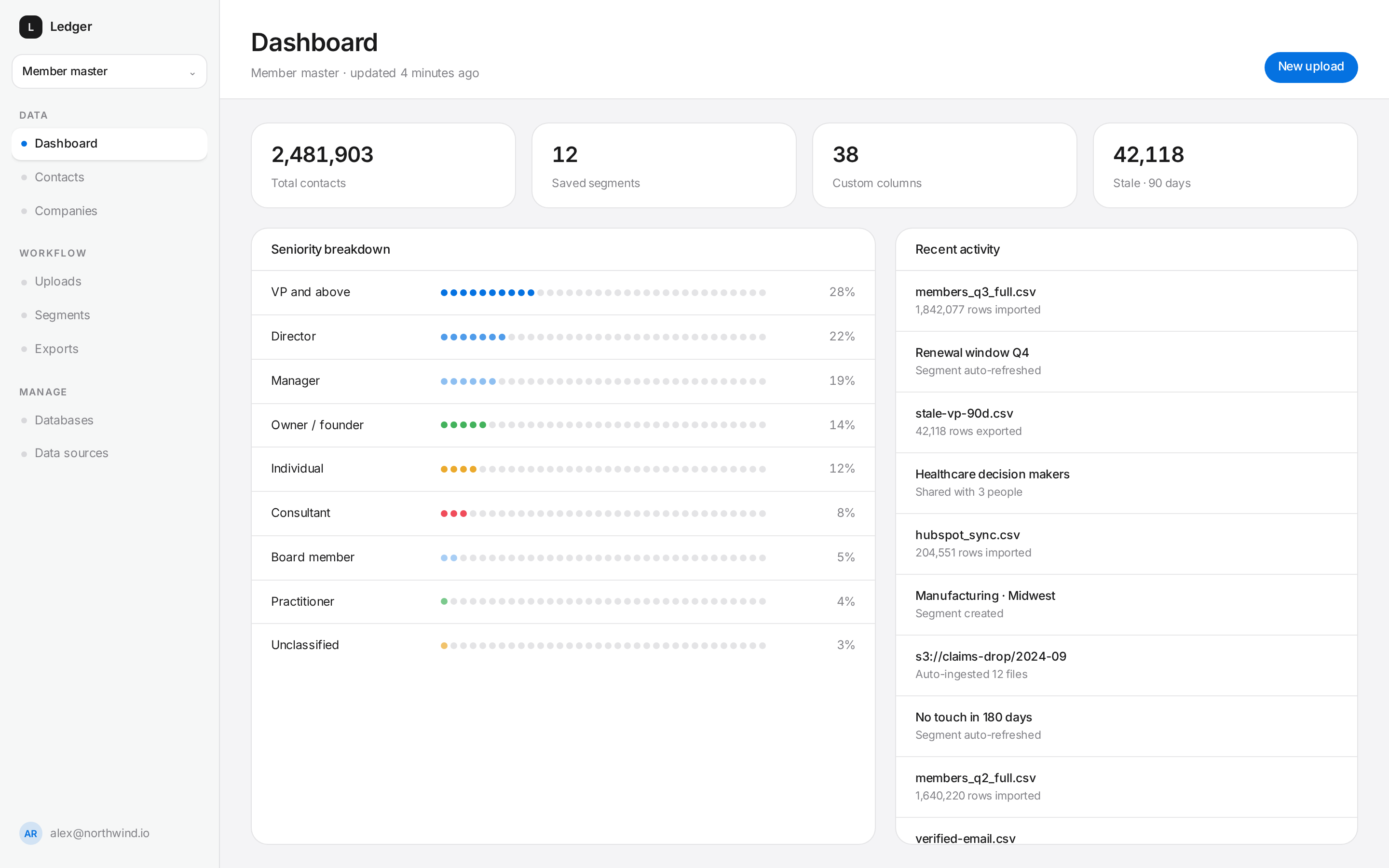
Ask precise questions of messy data
Stack conditions across any uploaded column, group them with AND/OR, and see the matching count settle in real time before you commit.
- Every column is filterable, including ones you uploaded this morning
- Money, dates and tenure are banded automatically into readable ranges
- Counts stay live as you refine, so you never export a surprise
Segments
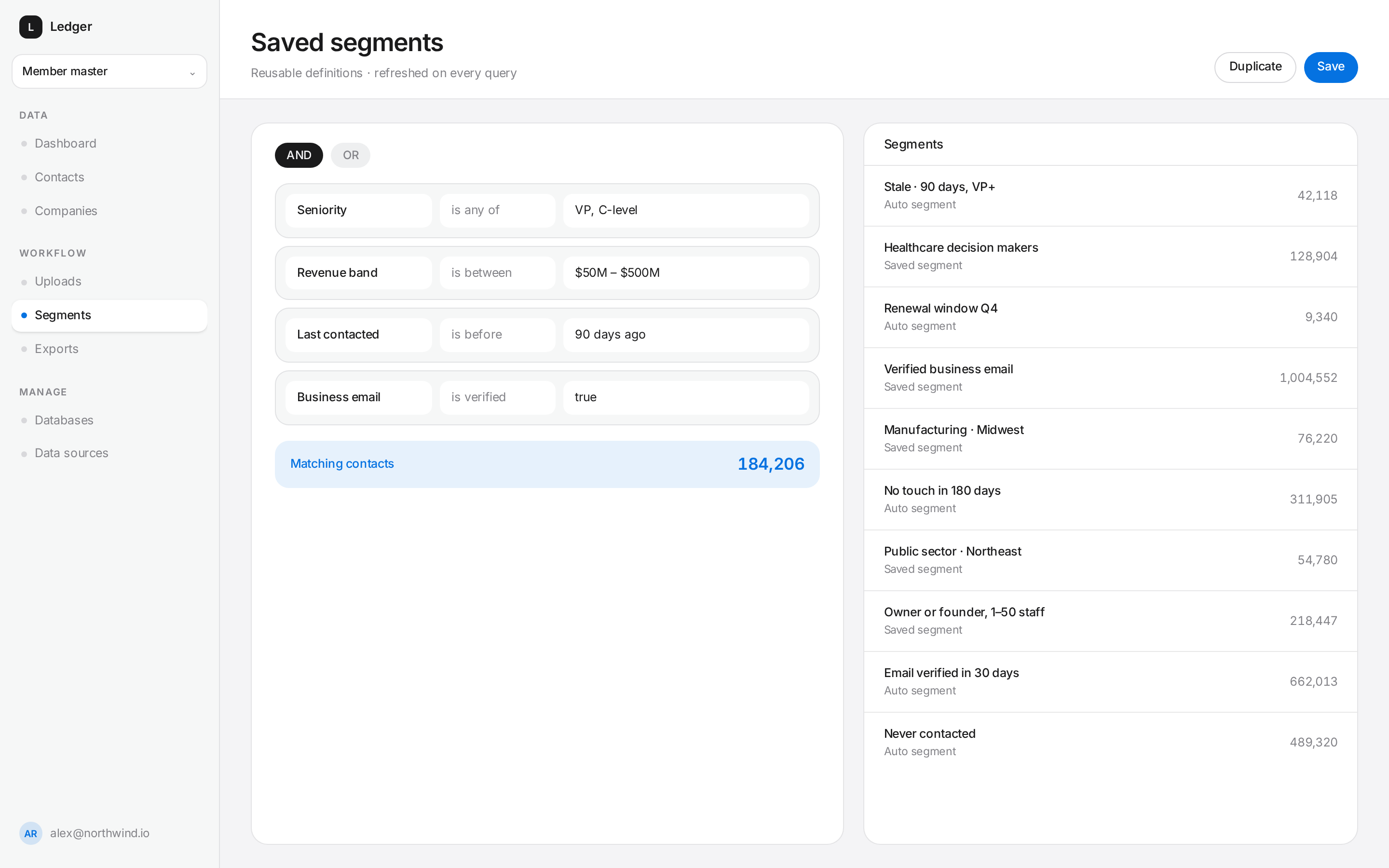
Save the question, not the answer
Turn any query into a reusable segment. Automated segments re-evaluate on a schedule, so a list like 'not contacted in 90 days' is always current and always ready for the campaign that consumes it.
- Shared segments keep the whole team on one definition
- Automation rules generate lists for downstream campaigns
- Views remember their grouping, filters and column layout
Exports
Send exactly the columns you meant to
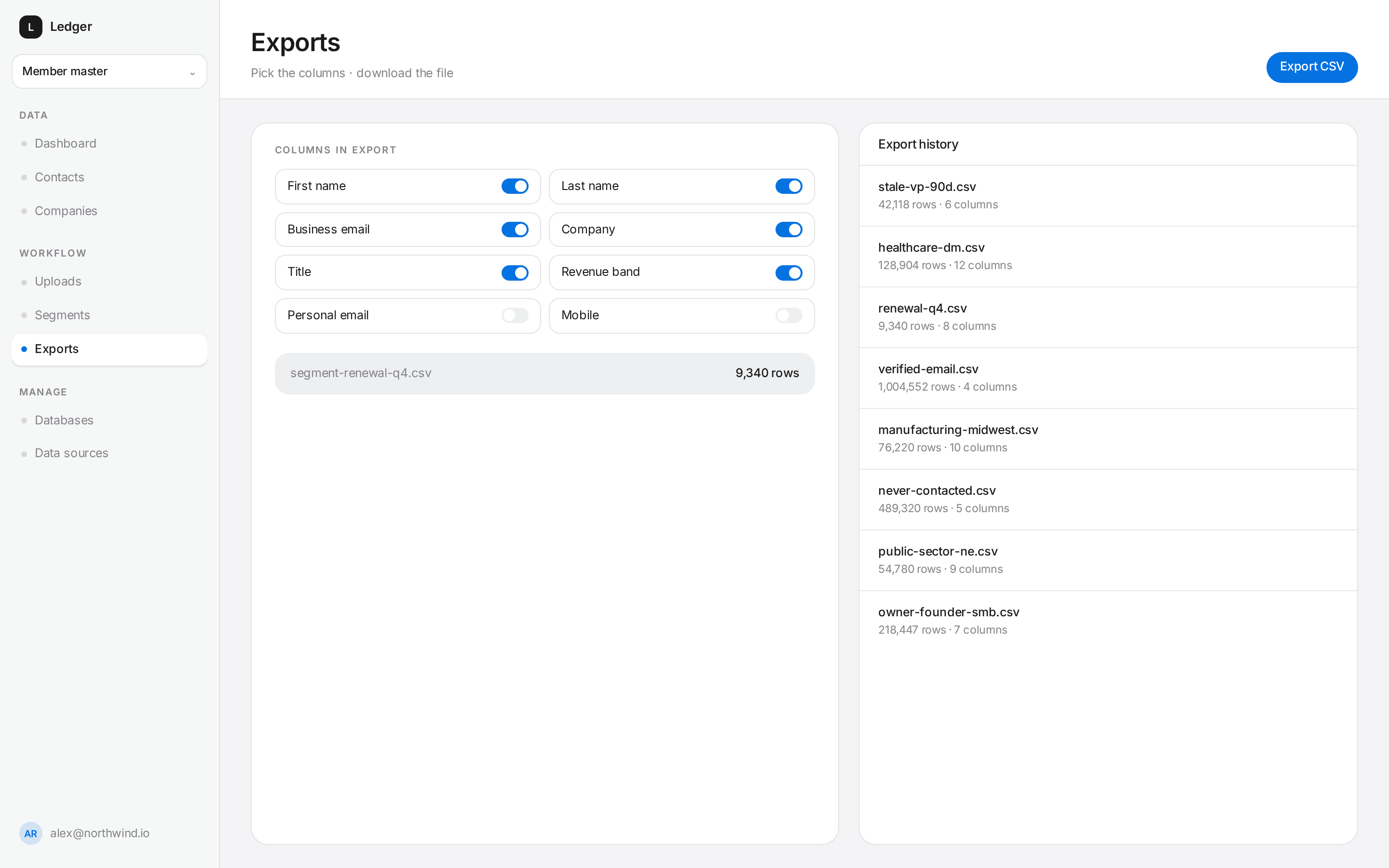
Pick the fields, confirm the row count, and take a clean CSV. Every export is recorded with who ran it, when, and against which filter.
- Column level control on every export
- Row counts confirmed before the file is generated
- Full export history for audit and reruns
“We stopped opening files in spreadsheets. The answer is on screen before anyone can finish asking the question.”
Operations lead
Enterprise data partner
Governance
Who can see which dataset is never a guess
Administrators create shared datasets and grant access by person. Everyone else can upload private data only they can see. Isolation is enforced in the database with row level security, on every read and every write.
What isolation means here
Four guarantees, enforced below the interface.
- Access is granted to a named person, and revoked the same way
- Policies run in the database, so no query path can bypass them
- An uploaded dataset is visible only to its owner until shared
- Every export keeps its owner, filter and column selection
Start with your data, or ours
Create an account and upload a file, connect your AWS database or Google account, or talk to us about purchasing access from our databases.